
That stack of old hard drives in the server room isn't just clutter. It's a massive, unaddressed liability for your business. For IT managers and business owners, treating disposing of old hard drives as a simple cleanup chore can lead to devastating data breaches, crippling regulatory fines, and permanent damage to your company's reputation.
The Real Risks of Improper Hard Drive Disposal
Thinking of hard drive disposal as just another item on a checklist is a critical mistake. In reality, it’s a vital part of your corporate risk management strategy. Every single drive, whether from a server, laptop, or desktop, is packed with sensitive information—customer data, trade secrets, financial records, and proprietary business intelligence.
Just one of those drives falling into the wrong hands can trigger a catastrophe. We’re not just talking about a hacker stealing some data; we're talking about the very real, very expensive fallout that comes after.
The Financial and Reputational Fallout
The direct costs of a data breach from a carelessly handled hard drive are staggering. Fines for ignoring regulations like the FTC Disposal Rule can hit thousands of dollars per violation. For businesses in healthcare, a HIPAA breach can easily cost millions.
But the initial fines are often just the beginning. The long-term damage is where it really hurts:
- Reputational Damage: Trust is everything. A public data breach sends enterprise clients running to your competitors and makes it incredibly hard to win back their confidence.
- Legal Action: Businesses often find themselves facing class-action lawsuits from customers and employees whose data was exposed.
- Intellectual Property Loss: Imagine your R&D data or proprietary trade secrets getting out. The loss of that competitive advantage is immeasurable and can sink a company.
Assuming old hard drives are worthless is a dangerous bet. As long as the data is physically on that platter, the risk is real. Letting those drives pile up in a storage closet only prolongs your exposure, turning a simple task into a ticking time bomb.
Beyond Deleting Files: A False Sense of Security
Simply dragging files to the trash, reformatting a drive, or even taking a hammer to it in the back room won't cut it. This gives a false sense of security while leaving your business completely exposed. Data recovery software is cheap and widely available, making it easy for anyone to pull sensitive information from drives that weren't professionally sanitized.
This is exactly why a certified data destruction process is non-negotiable for any commercial entity. You can learn more about how to protect your company from data breaches with secure data destruction practices in our detailed guide.
Working with a certified IT Asset Disposition (ITAD) partner is the only surefire way to guarantee complete data destruction and, crucially, transfer liability away from your company. A professional vendor provides auditable proof, like a Certificate of Destruction, that serves as your record of due diligence and compliance. It takes a huge business risk and turns it into a secure, managed, and documented process.
Choosing Your Data Destruction Method
When it's time to retire old hard drives, simply deleting files isn't enough. Your business needs to choose a data destruction method that aligns with security needs, compliance mandates, and operational budgets. What works for a hospital bound by HIPAA won't be the same for a small business refreshing its laptops.
There’s no single "best" way to do it. The right choice depends entirely on your specific commercial requirements. We'll walk through the three main approaches for business—physical shredding, degaussing, and software wiping—so you can confidently decide which one is right for you.
This decision tree can help you start thinking through the process, from deciding whether to keep a drive to figuring out the next steps for secure disposal.
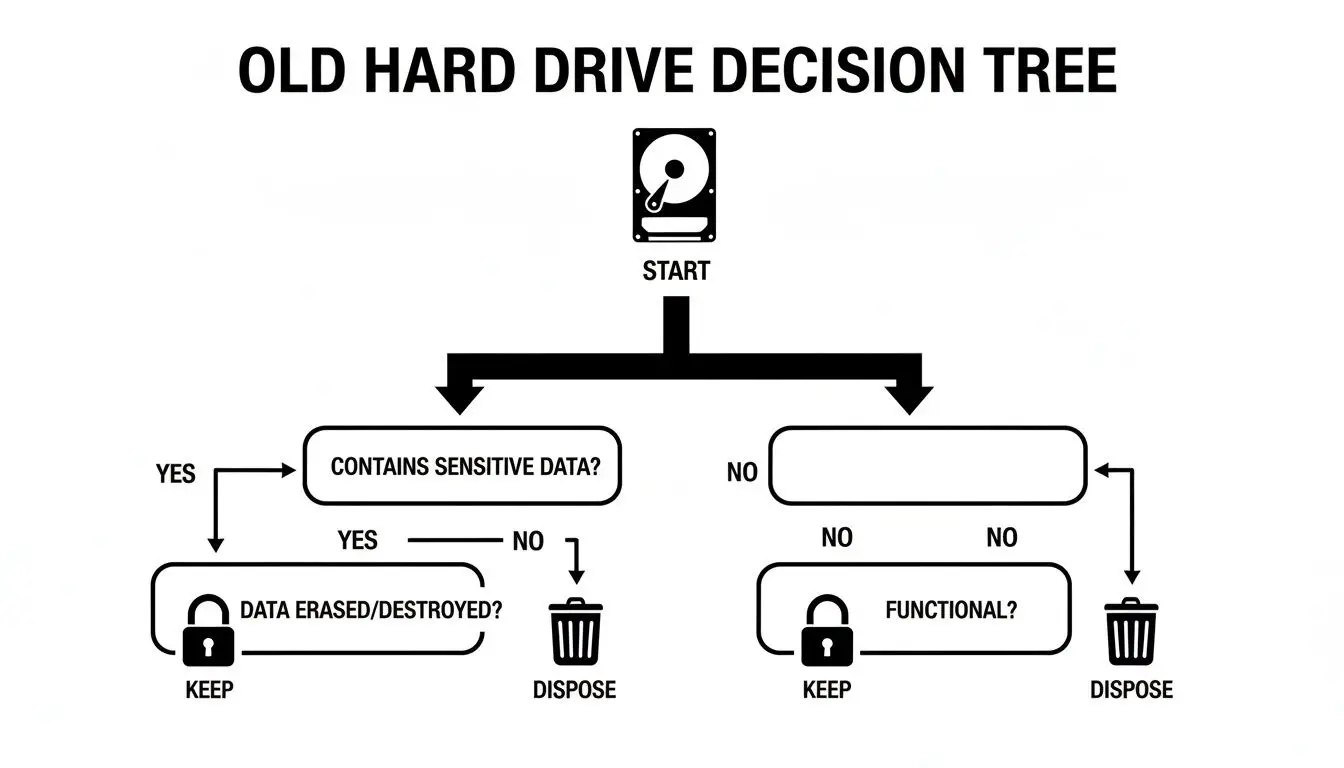
Once you've decided a drive needs to go, it's time to pick the right method to ensure the data on it is gone for good.
Comparison of Hard Drive Data Destruction Methods
To help you weigh your options, this table breaks down the key differences between the three primary methods of data destruction. Consider your organization's priorities—is it absolute security, asset reuse, or a specific compliance standard?
| Method | Process | Best For | Key Advantage | Consideration |
|---|---|---|---|---|
| Physical Shredding | Drives are mechanically ground into tiny metal fragments. | Highly sensitive data (government, finance, healthcare); absolute data obliteration. | Irreversible destruction. Visually verifiable and impossible to recover data from. | Destroys the drive, eliminating any resale or reuse value. Can be noisy. |
| Degaussing | A powerful magnetic field erases data on magnetic media. | Large batches of HDDs; meeting specific government sanitization mandates. | Extremely fast and effective for erasing magnetic hard drives and tapes. | Renders HDDs unusable. Does not work on SSDs or other flash media. |
| Software Wiping | Specialized software overwrites existing data with random characters. | Corporate assets with resale value (laptops, servers); promoting sustainability. | Preserves the hardware for reuse, resale, or donation, offering potential ROI. | Can be time-consuming for large drives; requires certified software. |
Each method provides a different level of security and has unique implications for your hardware's lifecycle. Now, let’s look at each one more closely.
Physical Shredding: The Ultimate Failsafe
Physical shredding is exactly what it sounds like. We use industrial-grade shredders to pulverize hard drives into small, mangled pieces of metal, making data recovery completely impossible. This is the go-to method for enterprise organizations that cannot afford any level of risk.
- Financial Institutions: Banks rely on shredding to ensure client financial records can never be compromised.
- Government and Defense: When dealing with classified information, shredding provides the absolute certainty required.
- Healthcare Providers: To comply with HIPAA's strict data privacy rules, shredding physically obliterates patient records.
The biggest benefit here is finality. Once a drive is shredded, you have undeniable proof that the data is gone forever, which is invaluable during a corporate audit.
For any business handling mission-critical IP or sensitive PII, physical shredding delivers unmatched peace of mind. Being able to witness the destruction provides a solid chain of custody and instant confirmation of security.
Degaussing: Erasing with Powerful Magnetic Force
Degaussing is a highly effective, though less common, method that uses an incredibly powerful magnetic field to wipe data from magnetic storage like traditional hard disk drives (HDDs) and backup tapes. A degausser blasts the drive with an electromagnetic pulse, completely scrambling the magnetic coating on the platters where your data lives.
The process leaves the drive totally sanitized, but it also typically renders the hardware useless. It's important to remember that degaussing does not work on Solid-State Drives (SSDs), as they use flash memory, not magnetic storage. You can learn more about what degaussing is in our detailed guide on the topic.
Degaussing is a solid choice for:
- Data centers decommissioning large volumes of HDDs at once.
- Organizations that must adhere to government standards like those from the NSA, which often specify degaussing.
Its main advantage is speed and efficiency for magnetic media. It's much faster than software wiping a large batch of drives, but you don't get the same visual proof as you do with shredding.
Software Wiping: Preserving Value and Sustainability
Software wiping, or data erasure, uses specialized programs to write random patterns of data over every single sector of a hard drive, often in multiple passes. This process securely overwrites the original information, making it unrecoverable.
Unlike shredding or degaussing, this method intentionally leaves the hard drive intact and fully functional. This is a huge advantage when the IT assets still have value. By securely erasing the data, those hard drives, laptops, or servers can be refurbished and resold, turning a disposal cost into a revenue stream through an ITAD buyback program.
Software wiping is an excellent fit for:
- Standard corporate hardware refreshes where laptops and desktops are being replaced.
- Returning leased equipment that requires certified proof of data removal.
- Any business focused on sustainability and contributing to the circular economy.
The secure data destruction market is growing fast and is expected to hit USD 10.3 billion by 2034 . Modern wiping algorithms can sanitize a 10-terabyte drive in under eight hours, which is often faster than arranging the logistics for physical destruction. Plus, from an environmental perspective, the 92% reuse potential for wiped drives is a massive improvement over the sub-31% recycling rates for shredded e-waste.
Making Sense of Data Disposal Compliance
Disposing of old hard drives isn't just about clearing out the server room; it's a serious legal matter. For any business, understanding the rules around data disposal is a requirement to avoid harsh penalties. You've likely heard the acronyms: HIPAA, SOX, the FTC Disposal Rule. Each comes with its own heavy-duty requirements for handling sensitive corporate and client data.
These aren't just suggestions. They're strict rules that demand businesses take "reasonable measures" to protect data from unauthorized access, all the way through to its final destruction. A failure here can result in audits, multi-million-dollar fines, and irreparable damage to your company's reputation.
What “Reasonable Measures” Actually Means
So, what do regulators really mean by "reasonable measures"? At its core, it means your business needs a documented, auditable process for destroying the data on your retired drives. This isn't something you can handle with a DIY approach.
The most straightforward way to meet this standard is to partner with a certified IT Asset Disposition (ITAD) vendor. These professionals specialize in the specific compliance rules of various regulations. They provide the procedures you need to keep your organization on the right side of the law, turning a massive legal headache into a managed, secure service.
This is especially critical in highly regulated industries:
- Healthcare: Under the Health Insurance Portability and Accountability Act (HIPAA), you must guard all patient health information (PHI). One improperly disposed drive can trigger a breach notification and significant government fines.
- Finance: The Sarbanes-Oxley Act (SOX) and Gramm-Leach-Bliley Act (GLBA) have strict rules for how financial firms handle client data and corporate records. A slip-up could trigger an SEC investigation and serious financial penalties.
- All Businesses: The Federal Trade Commission's (FTC) Disposal Rule applies to nearly every business that maintains consumer information. It requires you to properly destroy that info by shredding, burning, or pulverizing the media.
Here's the bottom line for any IT manager or business owner: you are liable for your company's data until you can prove it has been destroyed. Just handing drives to a recycler won't cut it. You need official, auditable proof.
Why Documentation Is Not Negotiable
This brings us to two documents that are absolutely essential for business compliance: a documented chain of custody and a Certificate of Destruction. Think of these not as receipts, but as your legal armor, proving you performed due diligence.
A chain of custody record is like a passport for your assets. It tracks your drives from the second they leave your facility, documenting who handled them, where they went, and when they arrived for destruction. This unbroken chain is vital for both security and any future audits.
A Certificate of Destruction is the final, official document you'll receive from your ITAD partner. It confirms the date, the destruction method used, and often lists the serial numbers of the destroyed hard drives. This certificate is what formally shifts liability from you to the vendor, serving as your ultimate proof of compliance. To stay on top of data security from the start, understanding tools like Microsoft Purview Data Loss Prevention can also be a huge help in protecting sensitive information before it ever needs to be destroyed.
Compliance Is a Booming Business
This intense focus on compliance is a huge driver in the ITAD industry. The global market for hard drive destruction services is growing fast, valued at around USD 1.65 billion in 2026 and expected to hit USD 5.05 billion by 2035. This boom is fueled by tough regulations like GDPR and HIPAA, proving that certified destruction is now a fundamental part of modern corporate risk management.
Ultimately, mastering these requirements is about proactive risk strategy. For anyone in an IT leadership role, that means creating clear policies based on proven industry standards. For a detailed look at media sanitization, check out our deep dive on the NIST SP 800-88 guidelines. By aligning your disposal plan with these frameworks and using a certified vendor, you’re not just following rules—you’re protecting your business, your customers, and your brand.
The Logistics of Secure Hard Drive Disposal
Knowing your compliance rules and picking a destruction method is just the start. For any busy IT department, the real challenge is execution—how do you get those old hard drives out of your office securely without disrupting your team's workflow? This is where a professional ITAD partner steps in, handling all the complex logistics so you can stay focused on your core operations.

It all begins when you schedule the service. A professional partner will take the time to understand the scope of your project, from the number of drives you have to your specific security needs. They’ll also work around any deadlines you might have, like an upcoming office move or data center shutdown.
On-Site vs. Off-Site Destruction Services
One of the first decisions you'll make is whether to have the destruction done at your location (on-site) or have the drives securely moved to a specialized facility (off-site). Each approach has clear advantages, depending on your business needs.
On-Site Shredding is the gold standard for organizations needing the highest possible level of security. A mobile destruction vehicle comes directly to your office or data center, which means you get an unbroken chain of sight from start to finish.
- Witnessed Destruction: You and your team can literally watch every single hard drive get fed into the shredder. It provides undeniable visual proof that the job is done.
- Ultimate Security: Your assets never leave your property intact, which completely eliminates any risk during transport. This is often a non-negotiable for government agencies, financial firms, and healthcare providers.
- Immediate Confirmation: You get your Certificate of Destruction right there on the spot. The process is complete, and the liability is transferred in real-time.
For businesses where absolute security is paramount, it’s worth exploring the details of on-site data destruction services to see how this premium option can protect your most critical information.
Off-Site Shredding is a much more streamlined and often more budget-friendly choice. The process still follows a strict, secure chain of custody, but the physical destruction happens at a dedicated facility.
- Logistical Simplicity: A team of vetted, background-checked professionals arrives, securely packs all your drives into locked containers, and hauls them away in a GPS-tracked vehicle.
- Operational Efficiency: This approach avoids the noise and disruption of a shred truck running outside your building, letting your team continue their work.
- Certified Security: The destruction takes place in a secure, access-controlled facility, and the entire process is documented from pickup to final shred.
Both on-site and off-site services from a certified vendor are secure. The choice really boils down to your organization's risk tolerance and what works best for your operations. Off-site is highly secure and efficient; on-site gives you that ultimate peace of mind through direct visual confirmation.
Tailoring the Service to Your Business Needs
You don't need a whole pallet of hard drives to engage a professional ITAD partner. The best providers offer flexible service models that fit any scale of operation.
- Scheduled Pickups: This is perfect for large, one-off projects like decommissioning a data center or refreshing an entire office's worth of hardware. You set a date, and the logistics team handles the full removal.
- Recurring Services: If your business is constantly cycling through old assets, setting up a regular pickup schedule—perhaps quarterly or semi-annually—is an excellent way to prevent old drives from piling up and creating a security risk.
- Mail-In Programs: Ideal for smaller businesses or remote offices with only a few drives. You’ll receive secure, prepaid shipping containers to send your drives to the destruction facility, with full tracking and certification included.
Before your drives are even picked up, it's vital to handle them properly. Thinking about secure storage solutions for data can be a smart interim step. Keeping drives locked up in a designated area while they await disposal is a critical link in the security chain.
No matter which model you choose, the entire process should be transparent. From the moment you book the service, you should have a clear understanding of the pickup process, how the chain of custody will be tracked, and exactly when you’ll receive the all-important documentation proving your data was destroyed responsibly.
Maximizing Value and Environmental Responsibility
Securely disposing of old hard drives shouldn’t just be a line item expense. For many businesses, it's a significant opportunity to recover capital and demonstrate a real commitment to corporate sustainability. With a smart IT Asset Disposition (ITAD) program, those retired assets can actually help fund your next technology refresh.
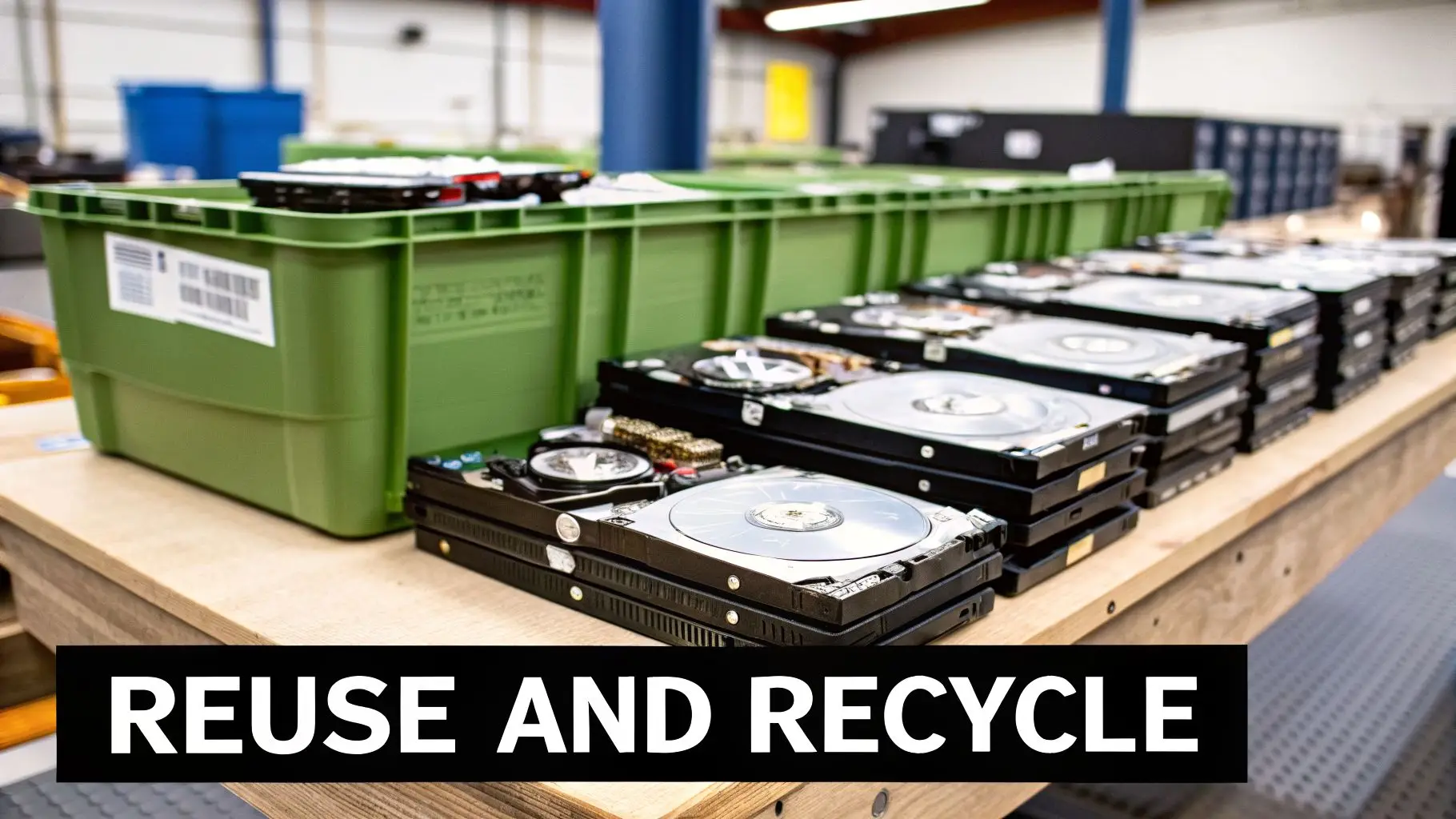
It’s a different way of thinking—moving past simple disposal to a model that’s better for your budget and the planet. This all starts with determining if your old IT equipment still has any residual value.
Turning Old Tech into New Revenue
Not every old hard drive or computer is headed straight for the shredder. If your equipment is still functional, isn't obsolete, and has demand on the secondary market, it can be remarketed. That’s the entire premise of an ITAD buyback program.
This process is built on trust and certified methods. A professional ITAD partner will first perform certified data erasure on the drives, which completely overwrites all information but leaves the drive itself perfectly usable. After that, the sanitized equipment is tested, refurbished, and then sold.
Your business receives a portion of the revenue from that sale. This doesn't just help cover data destruction and pickup costs; it can actually turn into a real revenue stream for your IT department.
This approach works especially well for:
- Large-scale corporate laptop and desktop refreshes.
- Data center hardware that's being upgraded but isn't obsolete yet.
- Specialized IT equipment with a high initial purchase price.
The decision to pursue value recovery is a strategic one. It transforms your IT lifecycle management from a pure cost center into a potential profit center by extracting maximum value from every asset.
The Power of Reuse in a Circular Economy
The financial return is compelling, but it’s only half the story. When you choose to refurbish and remarket your old assets, you are participating in the circular economy—which is, by far, the most environmentally sound form of recycling. Giving a functional device a second life drastically reduces the environmental footprint associated with manufacturing a brand-new one.
This is a powerful metric for any corporate social responsibility (CSR) program. It provides a real, measurable outcome that proves your company’s commitment to sustainability—something that clients, employees, and investors increasingly value. You can learn more about how your business can get involved by exploring the basics of a circular economy for electronics.
Responsible Recycling for End-of-Life Assets
Of course, some equipment is too old, broken, or obsolete to have any resale value. These hard drives and computers must be disposed of, but they absolutely cannot end up in a landfill. E-waste contains hazardous materials like lead and mercury alongside valuable commodities like gold, copper, and aluminum.
This is where a certified e-waste recycler is non-negotiable. A certified partner guarantees that every piece of your end-of-life equipment is handled in an environmentally responsible manner.
This means they will:
- Properly De-manufacture: Carefully disassemble the devices to separate hazardous materials from recoverable commodities.
- Recover Commodities: Extract valuable metals and plastics so they can be reused in new products.
- Provide Documentation: Issue a Certificate of Recycling, proving you met your environmental obligations.
You can see how seriously businesses are taking this by looking at what they spend on their own. Commercial companies spend about USD 450 million on destruction equipment to stay compliant and avoid breaches. The industrial sector, including data centers, isn't far behind at roughly USD 150 million. The risk is clearly understood at an enterprise level.
By combining value recovery for newer assets with certified recycling for older ones, you create a complete, end-to-end program that’s secure, financially smart, and environmentally responsible.
Common Questions About Disposing of Old Hard Drives
Even with a solid plan in place, several questions frequently arise when it's time for businesses to dispose of old hard drives. We hear these from IT managers, facility managers, and business owners, so let's clarify some of the most common points.
Is Deleting Files or Reformatting a Hard Drive Enough to Protect My Data?
No, absolutely not. This is one of the most dangerous misconceptions in corporate IT. When you delete a file or run a quick format, you are only removing the pointers to the data. The actual information remains on the drive platters.
Anyone with basic data recovery software can easily restore that information. Relying on deletion creates a false sense of security and fails to meet any compliance standard, leaving your business vulnerable to a data breach.
To truly protect your business information, you must ensure it's forensically unrecoverable. That means using professional, certified methods like multi-pass software wiping, degaussing, or physically shredding the drive.
What Is a Certificate of Destruction and Why Is It Important?
A Certificate of Destruction is the formal, legal document issued by a certified ITAD vendor. It serves as your official, auditable proof that your hard drives were securely and permanently destroyed. It's far more than a receipt—it's a critical component of your corporate risk management strategy.
This certificate is your key evidence for demonstrating due diligence under regulations like HIPAA, SOX, and the FTC Disposal Rule. If your business is ever audited or faces a security inquiry, this document proves you took the necessary protective steps.
Typically, it includes:
- The date of destruction
- The exact method used (shredding, wiping, etc.)
- A list of unique serial numbers for each destroyed asset
- A statement that transfers liability from your organization to the vendor
Should I Choose On-Site or Off-Site Hard Drive Shredding?
The right answer depends on your organization's security policies, risk tolerance, and operational needs.
On-site shredding is the gold standard for security. A mobile destruction truck comes directly to your location, and you can witness your hard drives being destroyed. This offers an unbroken chain of custody and immediate peace of mind, making it the top choice for government, healthcare, and financial institutions.
Off-site shredding is also highly secure when performed by a reputable partner. Your drives are placed in locked containers and transported in GPS-tracked vehicles to a specialized facility for destruction. While both are effective, on-site service offers the ultimate verification that many high-security organizations require.
Can I Get Money Back for My Old Hard Drives and Equipment?
Absolutely. If your retired computers, servers, or other IT equipment still hold functional value, you can often recover capital through an IT Asset Disposition (ITAD) buyback program.
Here's how it works: The vendor securely erases all data using certified software, which keeps the hardware intact and functional. These refurbished assets are then tested and sold on the secondary market. Your business receives a share of the revenue, which helps offset disposal costs and boosts the ROI on your initial IT investment. It's an excellent way to support corporate sustainability goals by giving your old tech a second life.
Ready to turn your IT asset disposal challenges into a secure, compliant, and streamlined process? The experts at Beyond Surplus provide certified electronics recycling and secure IT asset disposal services nationwide for businesses. Contact Beyond Surplus for a customized quote today.