
To decommission a server the right way, you must start with a detailed plan. This isn't just a suggestion; it's the most critical phase of the entire process. A solid blueprint inventories all hardware and software dependencies, establishes a clear timeline, and aligns all stakeholders from day one. Skipping this step is a direct path to unexpected service disruptions, data loss, and project delays that drain your budget.
Why a Decommissioning Blueprint Is Non-Negotiable
Rushing to unplug a server without a strategy is one of the most common—and expensive—mistakes an IT department can make. A server rarely exists in isolation. It functions as a central node in a complex web of applications, data streams, and user access points. Simply pulling the plug can trigger a chain reaction of failures across your organization, from broken internal apps to customer-facing service outages.
A robust blueprint transforms a potentially risky technical task into a predictable, controlled business process. It is designed to mitigate risk by forcing you to address the hard questions upfront:
- What services depend on this server? Identify every application, database, and network service that interacts with this hardware.
- Who will be impacted by the downtime? This extends beyond the IT team. Consider internal departments like finance and marketing, as well as external clients who rely on its services.
- What is the true scope of the data involved? You must account for everything—not just primary data, but also logs, backups, and configurations that need to be migrated or securely destroyed.
This initial planning phase is about inventory, timeline setting, and communication.
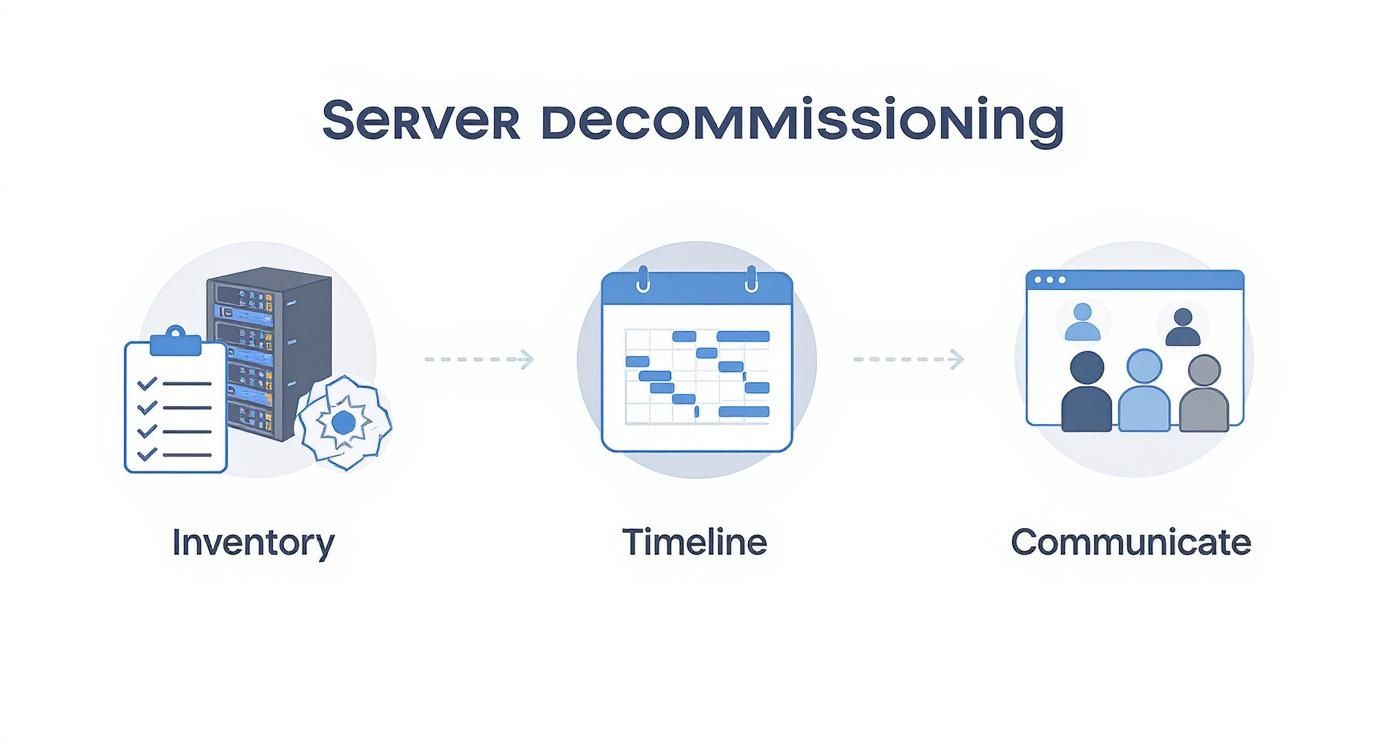
As you can see, each step builds on the last. It’s a methodical approach designed to minimize surprises and maintain operational continuity.
Assembling Your Stakeholder Team
First, identify every individual and department with a stake in the server's operation. This is more than an IT project; it impacts multiple business units. Your team should include representatives from IT operations, cybersecurity, application owners, finance, and even facilities management.
Each of these groups provides a unique and necessary perspective. For instance, the finance department will focus on asset depreciation and potential resale value, while the facilities team must coordinate the physical removal and power-down logistics.
Defining roles and responsibilities immediately prevents confusion later. A RACI (Responsible, Accountable, Consulted, Informed) chart is an excellent tool for this, mapping out exactly who does what at each stage. Your server decommissioning plan should also integrate with your organization's broader security strategy. Reading a comprehensive guide to Information Security Management Systems can provide an excellent framework for ensuring alignment.
Conducting a Deep-Dive Asset Inventory
Before establishing a timeline, you need a complete picture of the asset. This goes far beyond noting the server's make and model. A thorough inventory is the foundation upon which your entire project is built.
Your checklist must be exhaustive:
- Hardware Specifications: CPU, RAM, storage configuration (HDDs/SSDs), and network interface cards.
- Software and Applications: The operating system, all installed applications, databases, and any virtualization software.
- Network Dependencies: Document all IP addresses, firewall rules, and network connections tied to the server.
- Data Classification: What type of data does it store? Is it public, internal, confidential, or subject to regulations like HIPAA or GDPR?
This detailed inventory directly informs subsequent steps, from planning the data migration to selecting the appropriate data destruction method. For more on this foundational step, review these IT asset management best practices that integrate seamlessly with decommissioning planning.
A server decommissioning project is 90% planning and 10% execution. The quality of your initial inventory and stakeholder alignment directly determines the smoothness of the physical work. Rushing this phase is the primary cause of project failure.
Executing a Flawless Data Migration
Once your decommissioning plan is finalized, it’s time to address data migration. This is the most delicate part of the project. A single mistake can lead to lost files, corrupted databases, or significant downtime. A successful data migration is not a simple copy-paste operation; it is a methodical, verified process that safeguards your organization’s most valuable digital assets.

The strategy you employ depends on the volume and sensitivity of the data, as well as its destination. Each approach has distinct advantages and disadvantages, and selecting the right one is critical.
Choosing Your Migration Strategy
There is no single "best" method for data migration. The right choice depends on your specific technical requirements, budget, and timeline. Your two primary options are physical and network-based migrations.
- Physical (Offline) Migration: This traditional method involves copying data to a physical device—such as external hard drives or a dedicated storage appliance—and physically moving it to the new location. For massive datasets (terabytes or even petabytes), this is often faster and more secure as it is not limited by network bandwidth.
- Network-Based (Online) Migration: This method involves transferring data directly over a network connection to the new server, which could be another machine in your data center or a cloud environment like AWS or Azure. It is ideal for smaller data volumes or situations requiring minimal downtime, as data can often be synced in real-time before the final cutover.
To put this in perspective, moving a massive archival database via physical transfer might take days, whereas an online transfer of the same data could take weeks. Conversely, migrating a live application database online allows for a nearly seamless transition with only minutes of actual downtime.
A critical part of the process, especially with structured data, involves extracting it correctly from the old system. When executing a flawless data migration, various methods for data transfer can be employed, including exporting databases into formats that can be easily imported into the new environment.
Verifying Data Integrity Post-Transfer
Simply copying files is insufficient. You must prove that the data on the new server is an exact, uncorrupted replica of the original. Skipping this step can lead to silent data corruption that may not be discovered for months.
The standard method for this is using checksums or hashes. A checksum acts as a unique digital fingerprint for a file or block of data.
Here’s a breakdown of the process:
- Generate Hashes: Before the transfer, run a hashing algorithm (like SHA-256) on the source data to create a master list of checksums.
- Perform the Transfer: Move the data using your chosen migration method.
- Generate Hashes Again: Run the exact same hashing algorithm on the data at its new destination.
- Compare: Match the original checksums against the new ones. A perfect match provides cryptographic proof that the data arrived intact, without errors or corruption.
This step is non-negotiable for compliance and provides a solid audit trail confirming data integrity. For large-scale projects, such as those covered in our guide on decommissioning a data center, this verification process is a cornerstone of the entire operation.
The Importance of Backups and a Rollback Plan
Regardless of how robust your migration plan appears, a safety net is mandatory. Before initiating the data transfer, a full, verified backup of the source server is essential. This backup is your parachute in case of catastrophic failure.
Equally critical is a detailed rollback plan. This document should outline the precise steps required to revert to the original server if the migration fails or if post-migration testing reveals critical issues. Your rollback plan must define clear triggers for execution and identify who has the authority to make that call. Without it, a small hiccup can quickly escalate into a major disaster.
Ensuring Compliant Data Sanitization and Destruction
You've migrated the data, and the server is technically "empty." However, it remains a security liability loaded with latent data. Failure to permanently eliminate this information leaves your organization vulnerable to a catastrophic breach. This next phase shifts the focus from data protection to complete data elimination.
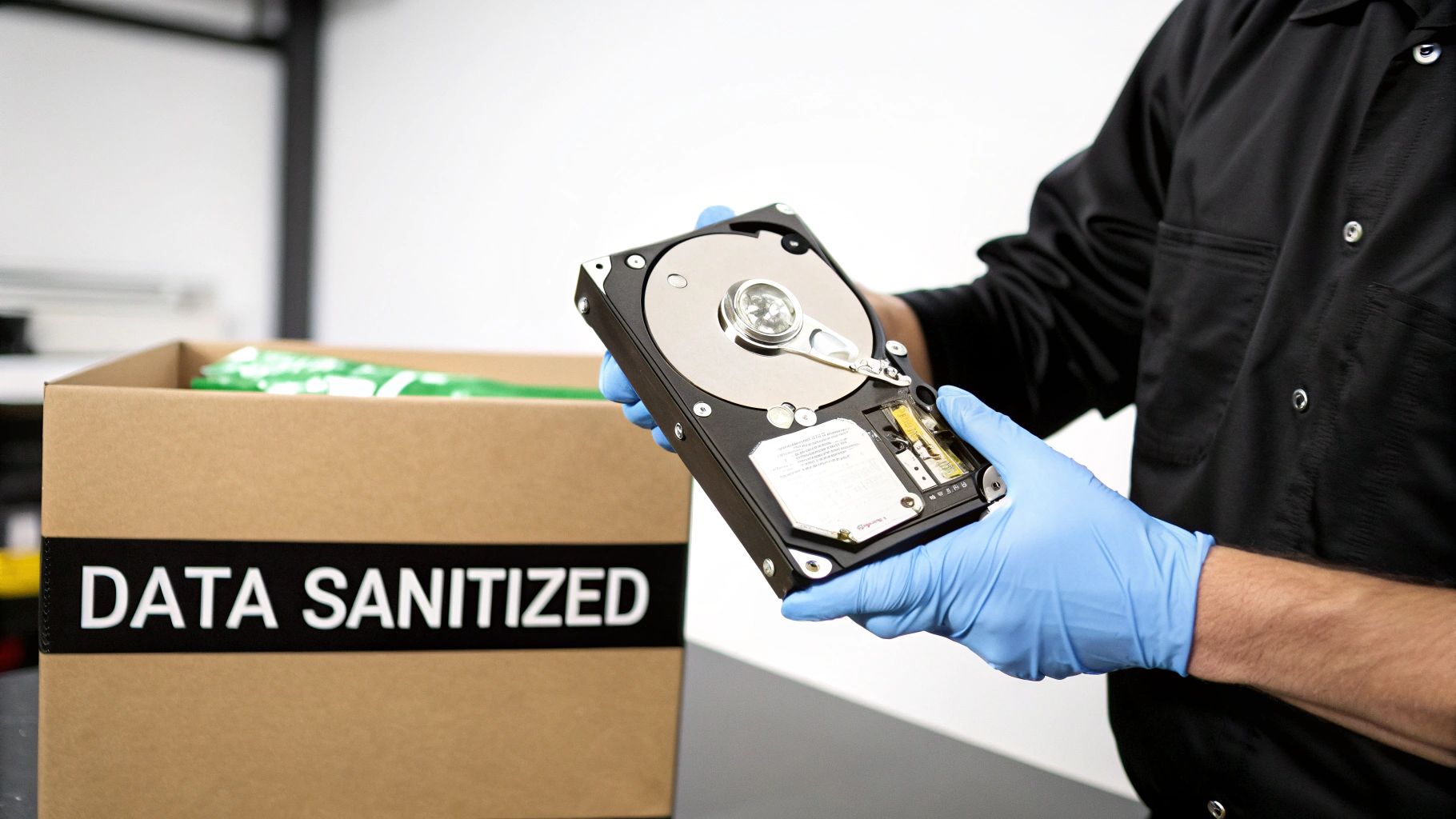
This is not merely a best practice; it is a non-negotiable requirement for compliance with regulations like HIPAA, GDPR, and the FTC Disposal Rule. The goal is absolute: render every bit of data completely unrecoverable. For this, the industry standard is the National Institute of Standards and Technology (NIST) Special Publication 800-88.
Sticking to the NIST 800-88 Framework
The NIST 800-88 guidelines are the gold standard for media sanitization. They provide a risk-based framework that goes far beyond simple deletion. It outlines three core methods for true data destruction: Clear, Purge, and Destroy.
- Clear: A software-based approach that overwrites data with random, non-sensitive information. It is effective against basic recovery attempts but may not stop a determined attacker with forensic tools.
- Purge: This method makes data recovery practically impossible, even with state-of-the-art laboratory equipment. Techniques include degaussing for magnetic media and cryptographic erasure.
- Destroy: This is the point of no return. It involves the physical obliteration of the storage media through shredding, crushing, or incineration. The drive and the data are gone permanently.
Adhering to these standards builds a defensible audit trail. You can get a deeper dive into this practice in our guide to NIST SP 800-88 compliance.
Data Wiping vs. Physical Destruction: The Big Decision
The choice between software-based data wiping and physical destruction comes down to a key trade-off: recovering asset value versus guaranteeing absolute security.
Software-Based Data Wiping (the Purge method) uses certified software to methodically overwrite every sector on a hard drive, often multiple times. The significant advantage is that the hardware remains intact and functional, allowing it to be resold or redeployed. This is ideal for newer servers or components with significant market value.
Physical Destruction (the Destroy method) is the final word in data security. This involves industrial-grade shredders that reduce hard drives and other media to useless fragments. It is the go-to solution for drives that held highly sensitive data, for older hardware with no resale value, or when corporate security policy demands total annihilation.
The wipe-or-shred question is a strategic one. Wiping is about maximizing your ROI by keeping the asset alive. Shredding is about achieving total peace of mind and is often the only option for meeting the strictest compliance rules.
Data Sanitization Methods Comparison
To clarify the decision, here is a comparison of common methods for server hard drives. This table breaks down each approach by security level, reuse potential, and compliance standard.
| Method | Security Level | Allows for Asset Resale? | Best For | Compliance Standard |
|---|---|---|---|---|
| Data Wiping (Overwrite) | High | Yes | Newer, valuable assets; repurposing hardware | NIST 800-88 Purge |
| Cryptographic Erasure | High | Yes | Self-encrypting drives (SEDs) | NIST 800-88 Purge |
| Degaussing | Very High | No (renders drive inoperable) | Magnetic media (HDDs, tapes); strict security | NIST 800-88 Purge |
| Physical Shredding | Absolute | No | End-of-life assets; highly sensitive data | NIST 800-88 Destroy |
Ultimately, selecting the right method depends on your risk tolerance, asset value, and regulatory obligations. A balanced approach often involves wiping valuable assets and shredding everything else.
Onsite vs. Offsite Destruction Services
Another critical decision is where the destruction occurs. It can be performed at your facility or at a specialized offsite location. Both options are secure but address different logistical and compliance needs.
- Onsite Destruction: A mobile shredding truck comes to your location. You can witness the drives being fed into the shredder, providing an unbroken chain of custody. This is the preferred choice for organizations with high-security requirements, such as hospitals, financial institutions, and government agencies.
- Offsite Destruction: Drives are packed into sealed, locked containers and securely transported to a certified destruction facility. This is typically more cost-effective and efficient for large quantities of drives. A reputable ITAD partner will provide ironclad chain-of-custody documentation, including GPS tracking and secure transit logs.
The Power of Certification
Regardless of the method chosen, the job is not complete until the paperwork is signed. A Certificate of Data Destruction is your official, legally defensible proof that you have fulfilled your compliance duties.
This document serves as your shield and should clearly state:
- The exact sanitization method used (e.g., NIST 800-88 Purge/Destroy).
- A serialized list of every processed drive.
- The date and location of the destruction.
- The signature of the certified vendor who performed the work.
This certificate is more than a receipt; it is evidence of due diligence. In the event of an audit, this document officially transfers liability for the data from your organization to your certified ITAD partner, closing the loop on a secure server decommission.
Managing Physical Removal and Asset Disposition
Once the data is securely sanitized, it's time to handle the physical hardware. Removing a server from a live data center is a precise operation that must be done carefully to avoid disrupting remaining systems. This phase focuses on safe extraction, maintaining a solid chain of custody, and making smart decisions about asset disposition.
Pulling a server from a live rack is a technical task, not just manual labor. You must begin by labeling every cable and connection before unplugging anything. This simple step can prevent an accidental outage of a neighboring system. Power supplies must be disconnected in the correct order, and removing the server from the rack is almost always a two-person job to prevent injury and equipment damage.
I have seen it happen: someone treats server removal like moving a heavy box. A dropped server can damage raised flooring, bend the rack, or even take out adjacent gear. Worse, improper handling can cause an electrostatic discharge that fries the components, instantly killing any chance of getting money back for it.
Establishing an Unbroken Chain of Custody
The moment a server leaves your rack, a critical process begins: establishing an unbroken chain of custody. This is a formal, documented trail that follows the asset from your facility to its final destination—be it a recycling plant, a reseller's warehouse, or a shredder. Every handover must be logged.
This documentation is your non-negotiable proof of responsible handling. It should detail:
- The unique serial number of every asset.
- The exact date and time of pickup.
- The name and signature of the person releasing the equipment.
- Details of the secure, GPS-tracked vehicle used for transport.
- Confirmation of delivery to the certified ITAD facility.
Without this meticulous record, you have a significant gap in your audit trail. If an asset disappears, you have no way to prove due diligence. Any professional IT Asset Disposition (ITAD) partner will manage this process with military precision.
Choosing the Right Disposition Path
After the server is securely offsite, you have three primary disposition options. The best choice depends on the hardware's age, condition, and the sensitivity of the data it once held. Working with a certified vendor for nationwide decommission, removal, and disposal services simplifies these decisions.
-
Remarketing and Resale: If the server or its components (like CPUs, RAM, and SSDs) have remaining value, remarketing is the best option. A qualified ITAD partner will test, refurbish, and sell the equipment through their networks, providing you with a share of the proceeds and turning old equipment into revenue.
-
Responsible E-Recycling: For hardware that is too old or obsolete to sell, responsible e-recycling is the only environmentally sound choice. Certified recyclers—look for credentials like R2 or e-Stewards—will de-manufacture the server, recovering raw materials like steel, aluminum, and precious metals while ensuring proper disposal of hazardous materials.
-
Certified Destruction: In some cases, the hardware itself poses a risk. If it is a proprietary design, holds sensitive IP, or your company policy requires it, destruction is the only answer. The entire server chassis and all components are physically shredded, guaranteeing no part can be recovered or reverse-engineered.
Logistics and Pickup Coordination
Scheduling the physical pickup requires close coordination between your facilities team, IT staff, and your ITAD vendor. The logistics plan must cover everything from building access and loading dock schedules to internal security protocols.
Your ITAD partner should arrive with the appropriate crew and equipment—dollies, pallet jacks, and secure, sealed containers—to move the assets out quickly and safely. This coordination ensures a smooth final handoff, completing the asset's journey securely and compliantly.
Finalizing Your Documentation for a Defensible Audit Trail
The physical work may be done, but the project is not complete until the documentation is finalized. The final, and arguably most critical, phase of any server decommission project is compiling the paperwork to build an ironclad, defensible audit trail.
This documentation is your definitive proof of due diligence. Without it, you cannot answer tough questions from auditors or executives months or years later. A complete documentation package is your shield, proving every asset was handled securely and every regulation was met. This final step transforms a series of technical tasks into a closed-loop, auditable business process.
Assembling Your Essential Compliance Documents
Your final project folder must tell the complete story of each server's end-of-life journey. Each document serves a specific purpose, from proving data destruction to confirming environmentally sound hardware disposal.
Your essential document checklist must include:
- Initial Project Plan & Inventory: The original blueprint detailing the server's specifications, dependencies, and project scope.
- Chain-of-Custody (CoC) Logs: A detailed, signed record tracking the asset from your data center to its final destination, noting every handler.
- Asset Transfer Forms: Official paperwork confirming the transfer of ownership or responsibility to your ITAD partner.
- Certificates of Data Destruction: This is non-negotiable. The certificate must list the serial numbers of all sanitized media and specify the NIST 800-88 method used. To ensure compliance, it's worth knowing what a proper destruction certificate format should include.
- Certificates of Recycling/Disposal: Proof that all non-remarketable hardware was processed in line with environmental regulations like R2 or e-Stewards.
Gathering these documents should be a planned part of your project from the start, not an afterthought.
Reconciling Paperwork Against the Original Inventory
Now, connect the beginning of the project to the end. Using the deep-dive inventory created during the planning phase, match every serialized component—every server, hard drive, and stick of RAM—to a corresponding document in your final compliance package.
This reconciliation process identifies any gaps before they become problems. Does the serial number on the Certificate of Data Destruction match the hard drive from your initial inventory? Does the chain-of-custody log account for the exact server chassis you planned to remove?
If you can't trace an asset from your initial list all the way to a final certificate, you have a hole in your audit trail. This meticulous one-to-one matching is what makes your documentation truly defensible.
This crucial step ensures 100% accountability, leaving no room for ambiguity and confirming that no asset was lost, misplaced, or improperly handled.
Conducting a Post-Decommission Project Audit
With all paperwork reconciled, the final action is to conduct a post-project audit or review. This internal meeting brings all stakeholders together one last time to confirm that every objective from the original plan was met.
The goals for this final audit are straightforward:
- Confirm Project Objectives: Were timelines and budgets met? Were there any unexpected service disruptions?
- Verify Compliance: Review the collected certificates to ensure all data security and environmental requirements were satisfied.
- Document Lessons Learned: What went well? What could be improved in the next decommission project? This feedback is invaluable for future efficiency.
This review officially closes the project. The complete documentation package, validated by your audit, should be securely archived as your permanent record, ready to be produced for any compliance inquiry and proving your organization’s commitment to secure and responsible IT asset management.
Got Questions About Server Decommissioning? We've Got Answers.
When it comes to removing a server from your environment, several common questions always arise. Addressing these from the outset can prevent headaches, costly missteps, and streamline the entire process.
How Long Does It Really Take to Decommission a Server?
This is a classic "it depends" scenario; there is no one-size-fits-all timeline. The process could be completed in a few days or extend over several weeks, depending entirely on the server's role in your ecosystem.
A simple, low-impact file server with minimal data could be retired in under a week. However, a core production server running a critical application with terabytes of data and complex network dependencies will likely require a month or more for proper decommissioning.
Key factors that dictate your timeline include:
- Data Volume: How much data needs to be migrated and verified?
- Application Dependencies: How many other systems and services rely on this server?
- Internal Processes: How long does it take to get necessary approvals from stakeholders and change advisory boards?
- Vendor Scheduling: You must coordinate with your ITAD partner for secure pickup and final disposition.
What Are the Biggest Risks I Should Watch Out For?
The two primary risks that concern IT managers during a decommission project are data loss during migration and data breaches from improperly wiped drives. These carry the most severe financial and reputational damage.
Other serious risks include:
- Unexpected Downtime: Missing a single hidden application dependency can trigger a cascade of service interruptions.
- Compliance Failures: Incomplete or sloppy documentation can lead to failed audits and heavy fines.
- Environmental Violations: Disposing of old hardware improperly can violate regulations if you do not use a certified e-waste recycler.
A meticulous plan, executed with a trusted, certified partner, is your best defense against all of these risks.
Do I Really Need a Professional ITAD Vendor?
While it may be tempting to handle a server decommission entirely in-house to save money, partnering with a certified IT Asset Disposition (ITAD) vendor is the smarter move for any business. An expert partner provides critical services and liability protection that most internal IT teams are not equipped to handle.
A professional ITAD vendor doesn't just haul away old equipment. They provide an end-to-end, legally defensible process that transfers liability, ensures compliance, and maximizes asset value.
They act as your compliance shield, ensuring you adhere to data security laws like HIPAA or GDPR and environmental standards such as R2 or e-Stewards. Additionally, they provide certified data destruction, secure chain-of-custody logistics, and can often recover value from your old equipment through their remarketing channels.
What Is the Difference Between Wiping and Shredding a Drive?
Understanding this distinction is critical for both your security posture and your budget.
Data wiping uses specialized software to systematically overwrite a drive's data, making it forensically unrecoverable. The key benefit is that the physical drive remains intact and functional, ready for reuse or resale.
Physical destruction (shredding or crushing), on the other hand, completely annihilates the drive into tiny pieces, rendering it and its data permanently unusable.
Think of it this way: wiping is ideal for assets you plan to resell, while destruction offers the ultimate, foolproof security guarantee for drives containing highly sensitive data or those at their end-of-life.
For organizations seeking a trusted partner to manage every aspect of the server decommissioning process, from secure data destruction to certified recycling, Beyond Surplus provides comprehensive, nationwide ITAD services. Contact Beyond Surplus today for a secure and compliant solution.