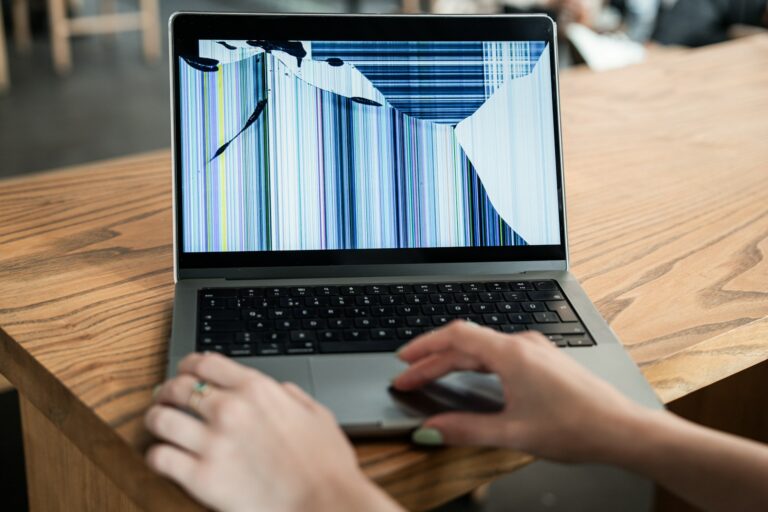

As winter starts to slow down, many Columbus businesses are turning inward and taking stock of what needs to go. One of the biggest piles? Office tech. When January rolls in, so do new goals, new budgets, and often new computers. That means the old ones have to be handled the right way.
The disposal of IT equipment is more than just tossing out worn cables and unused monitors. It means protecting company data, meeting proper handling procedures, and making space for updates that support the year ahead. With tax season right around the corner and spring not far behind, now is a good time to plan for cleanouts that will not cause problems later.
Reviewing Outdated Tech Before Spring Changes
Before we bring in new gear, we need to understand what’s still floating around from last year. Most offices have tech that hasn’t been turned on in months, maybe even years. A quiet search through some corners and cubbies often leads to a surprising collection of forgotten devices.
- Start with common storage spots like breakroom cabinets, file drawers, or under desks
- Make a note of equipment that’s broken, outdated, or doesn’t connect with current systems
- Look for duplicates, like extra keyboards, mice, or power cords tucked away “just in case”
If something hasn’t been used since the last time winter coats came out, there’s a good chance it’s ready to go out. We don’t need to hang onto servers that are long disconnected or monitors with broken displays. These items can take up space that would be better used for what we actually use each week.
Protecting Company Data When Removing Devices
Letting go of a computer doesn’t mean the information vanishes with it. Old files, saved emails, and even passwords can stay behind on equipment if it isn’t prepared right. Handing over an old laptop without checking what’s on it first can lead to more harm than good.
- Remove hard drives before recycling or make sure they’re wiped clean by someone who knows how
- Devices used by employees in finance, HR, or customer service may carry sensitive records
- Forgetting to clean out data can lead to privacy concerns that are harder to clean up than any workspace
We treat data like an extension of the business. That means giving it the same attention we’d give to physical security. Before we set devices in a recycle pile or schedule a pickup, we double-check what’s been saved, and what still might be hiding in older folders or user profiles.
Organizing a Smooth Pickup or Drop-Off Process
Once we’ve sorted through the clutter and cleaned off what needs it, we’re not quite done yet. Getting rid of the equipment without turning it into a stressful chore is part of the plan. Whether we arrange for a bulk pickup or make time for a drop-off, a little prep goes a long way.
- Group devices by type so printers, laptops, and network tools don’t all go in the same box
- Label boxes clearly so it’s easy to see what’s what during loading and handoff
- Remove loose cords, adapters, or external equipment and bundle small items together
This step is where everything starts to move. It can feel like cleanup is finally rolling, and the office begins to breathe again. Careful organizing now prevents someone else from having to dig through a tangle of parts later.
Following Safe and Responsible Disposal Practices
There are a lot of things we can toss in the trash. But office electronics don’t belong on that list. Laptops, batteries, and many desk devices hold materials that shouldn’t end up in the landfill. Some items even need special handling due to the components inside.
- Computers, batteries, and network switches should never be thrown out with regular trash
- Look through supply closets for old phones or modems hiding in the background
- If your office is in a shared building, make sure there are no limits or rules about moving equipment through shared hallways or service doors
It’s easy to forget what might be stored in old supply cabinets or even locked drawers. That’s why we take the time to check every floor and workspace before we complete any equipment collection. This step might seem small, but it makes the whole process safer for everyone.
Beyond Surplus provides secure IT equipment disposal and data destruction services for Columbus businesses. We follow industry-standard, R2 (Responsible Recycling) guidelines, and can handle a broad range of office electronics including servers, computers, network switches, and printers. Certificate of destruction is available for devices that require documentation after secure data wiping.
Getting Your Office Ready for New Gear
Removing what no longer works, or what no longer fits, opens up a lot of space. It’s not just about tidying up. It’s about making way for the equipment we’ll actually use. New machines run better when they’re not surrounded by a mess of extra wires, screens, or outdated docks.
- Free up desk space for more efficient layouts or less clutter around workstations
- Make it easier to handle cables if you’re reducing the number of devices in a given area
- Take note of what team members might need moving forward, especially if hardware is being upgraded
When a desk or shared space is clear, it works better. People don’t waste time figuring out which power cord is theirs or how to connect a monitor that hasn’t worked right in ages. It also means repairs and replacements are easier to manage as tech keeps changing.
Starting the Year with Less Clutter and More Confidence
Taking the time now to plan our IT cleanup makes the whole year go smoother. It gives us better focus, more room for growth, and fewer surprises down the road. With the disposal of IT equipment handled early in the quarter, we can check one big task off the list and move forward with confidence.
A clear office helps the whole business feel more put together. We’re not tripping over old boxes or wondering if someone’s still using something from years ago. Everything’s cleaner, safer, and ready for what’s next, and that sets the tone for the entire season.
Ready to make space in your Columbus office and make sure outdated tech is managed properly? We handle every detail, including secure handling and proper disposal of IT equipment so nothing slips through the cracks. At Beyond Surplus, our team makes clearing out old hardware simple and responsible. Contact us to get started.